WaveLink WaveLink

China Best 40G QSFP+ Transceiver How to Choose?

Time:2026-11-20 Author:Charlotte
0%

Choosing the China Best 40G QSFP+ Transceiver is not simply a matter of finding a low price. The module must match the switch, link distance, fiber type, and operating environment. A short data-center connection may call for a different optic than a long campus link. Check the product label, host compatibility list, and specification sheet before comparing quotes.

Small details matter. Confirm whether the link uses multimode or single-mode fiber, and check connector type, wavelength, and stated reach. Verify that the module supports the required data rate and works with your equipment’s coding or firmware requirements. Digital diagnostics can also help teams monitor temperature and optical power. A mismatch may leave the link dark—or create intermittent faults that are harder to trace. Not ideal.

The title asks which Chinese supplier offers the “best” option, but best depends on the deployment. Compare warranty terms, test documentation, lead time, and technical support alongside price. Ask for clear compatibility guidance and test results for the exact model, not just a similar product. Because no source was supplied for a named expert’s quotation, I won’t invent one; that would undermine the reliability this guide aims to provide. Instead, it will use practical selection criteria that readers can verify against vendor documents and network requirements. That is the useful starting point.
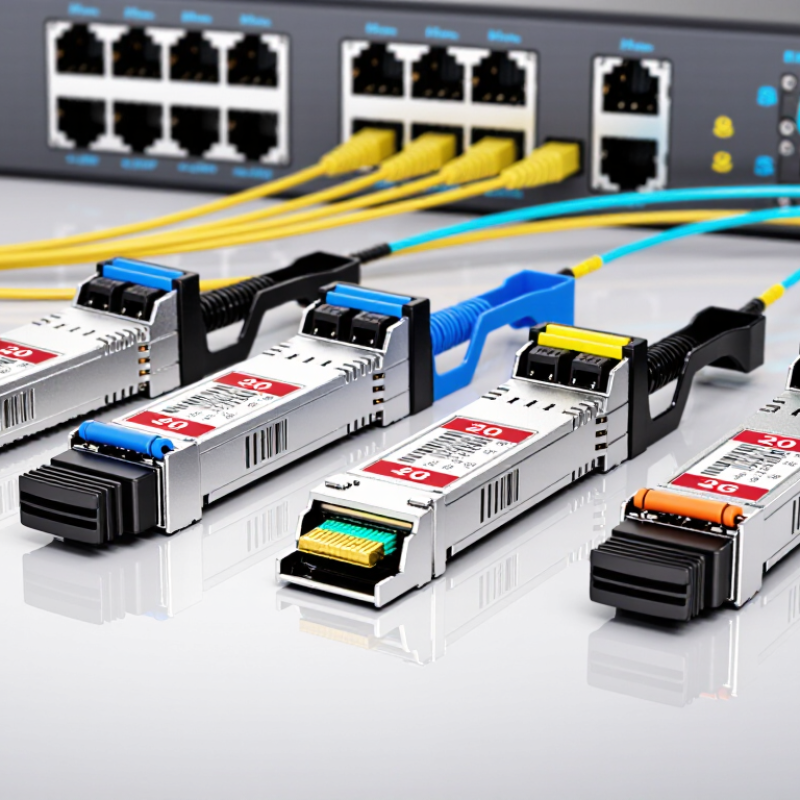
China Best 40G QSFP+ Transceiver How to Choose?

Define 40G QSFP+ Basics: 4 × 10.3125-Gb/s Lanes per IEEE 802.3ba

China Best 40G QSFP+ Transceiver How to Choose?

A 40G QSFP+ connection carries traffic across four lanes, each running at 10.3125 Gb/s. IEEE Std 802.3ba-2010 defines this signaling for 40-Gigabit Ethernet. The four lanes total 41.25 Gb/s before encoding; 64b/66b encoding produces the 40-Gb/s Ethernet data rate. The math matters. This is why “four 10G lanes” does not mean four separate 10-Gb/s Ethernet links.

For 40GBASE-SR4, four optical lanes transmit and four receive, typically over multimode fiber using an MPO connector. IEEE 802.3ba specifies reaches up to 100 m on OM3 and 150 m on OM4 fiber. A duplex LC patch cord is not a direct substitute. I would check lane mapping and polarity, too; these details are easy to overlook during installation.

Tips: Confirm the fiber grade, connector type, reach, and host-port compatibility before ordering. If the link stays dark, inspect MPO polarity and cleanliness before assuming the transceiver is faulty. A small detail can waste a whole troubleshooting shift.

Match Fiber and Reach: SR4 Supports 100 m on OM3 and 150 m on OM4

For a 40G QSFP+ link, SR4 is designed for short-distance connections over multimode fiber. Its stated reach is up to 100 meters on OM3 and 150 meters on OM4. That difference can shape a rack-to-rack layout. An extra 50 meters may help when equipment rooms are farther apart. Check the cable grade printed on the jacket; color alone is not reliable.

SR4 uses parallel optical lanes, so the fiber assembly and connector must match the port. Check the required MPO polarity and lane mapping before installation. Keep connector end faces clean. Dust is tiny, but it can disrupt multiple lanes. A link may light up and still show errors. That is easy to overlook.

Treat the distance figures as limits, not promises. Patch panels, added connections, and cable quality can affect performance. I would verify the module specification and the complete channel design before committing to a route. OM4 offers more reach, but it does not correct a mismatched connector or poor installation. Measure the actual path, including service loops. One detail is easy to miss: the cable route may be longer than the room-to-room distance suggests.

Compare LR4 and PSM4: 10 km and 500 m Reach, Respectively

For a 40G QSFP+ link spanning a campus or metro site, LR4 is the longer-reach option. It supports up to 10 km over single-mode fiber and uses a duplex LC connection. Inside the module, four wavelengths carry the 40G signal across one fiber pair. Check the equipment’s supported optic type and optical budget before ordering; the distance rating alone does not guarantee a working link. Small details matter.

PSM4 is designed for shorter single-mode links, with a reach of up to 500 m. It sends data across four parallel lanes, so the connection uses an MPO-style connector and multiple fiber strands. That can suit a data-center row where parallel cabling is already installed. In practice, connector type and fiber polarity are easy to overlook. A link may look correctly patched yet fail because the strands do not line up.

Tips: Choose LR4 when the route exceeds 500 m or you need a duplex LC path. Choose PSM4 for shorter runs with compatible MPO cabling. Confirm reach, connector, polarity, and switch compatibility together. I would still inspect the actual patch route before finalizing the choice; drawings are not always current.

Check Host Compatibility: QSFP+ MSA, DOM/DDM, and Switch Requirements

China Best 40G QSFP+ Transceiver How to Choose?

A 40G QSFP+ module can fit a port yet still fail to link. The QSFP+ MSA defines the module’s mechanical and electrical interface, but it does not guarantee acceptance by every switch. Check the switch’s supported transceiver types, port speed, and firmware notes before buying. Then match the optical type to the link: SR4 typically uses parallel multimode fiber and MPO connectors, while LR4 uses duplex single-mode fiber and LC connectors. Small details matter.

DOM/DDM monitoring is useful for checking optical power and temperature, but support depends on both the transceiver and host software. Confirm that the switch can read these values and that alarms are interpreted correctly. During qualification, test the module in the intended port and verify link status, error counters, and the far-end connection. A compatibility list can help, though it may not reflect every firmware revision. That deserves a second look.

Tips: Confirm connector, fiber type, reach, and polarity. For a breakout link, check whether the switch supports the required port configuration. Keep the exact module and firmware details with test results; troubleshooting from memory is easy to get wrong.

Assess China Suppliers: Verify IEEE Compliance, IEC 60825-1 Safety, and Warranty

China Best 40G QSFP+ Transceiver How to Choose?

When assessing China-based suppliers, ask for evidence before comparing prices. A clear datasheet should identify the 40G interface, wavelength, reach, connector, and operating temperature. Check whether the module’s specifications align with the relevant IEEE 802.3 requirements. Request test reports or compliance declarations, and confirm that the supplier can explain how compatibility was verified. A polished datasheet alone proves little. Ask about testing with your switch model and fiber type; small mismatches can cause link instability.

Tips: Request IEC 60825-1 laser-safety documentation and product labeling. Confirm the laser classification and handling guidance match the delivered module. Ask for the warranty period, return process, replacement timing, and coverage for early failures in writing. Keep the answers with your purchase records.

Do not rely on a broad “lifetime warranty” claim without defined terms. Check whether warranty coverage includes diagnostics, shipping, and firmware-related issues. Ask how the supplier handles a failed unit and whether replacement stock is available. A sample evaluation can reveal temperature or interoperability problems, though one successful test is not a guarantee. I would still verify a production batch. Details matter.

China Best 40G QSFP+ Transceiver How to Choose? - Assess China Suppliers: Verify IEEE Compliance, IEC 60825-1 Safety, and Warranty

Transceiver type Relevant Ethernet specification Media and interface Typical standardized reach Key selection check
40GBASE-SR4 IEEE 802.3ba; 40 Gb/s parallel-optics link 850 nm multimode fiber; MPO/MTP-style 12-fiber interface is commonly used Up to 100 m on OM3 or 150 m on OM4, subject to a compliant link and cabling Confirm fiber grade, polarity, connector type, and host-port support for SR4.
40GBASE-LR4 IEEE 802.3ba; 40 Gb/s long-reach single-mode link Single-mode fiber; four wavelength channels near 1271, 1291, 1311, and 1331 nm; duplex LC is commonly used Up to 10 km on single-mode fiber under the applicable link requirements Check the specified reach, connector, optical limits, and compatibility at both link ends.
40GBASE-CR4 IEEE 802.3ba; 40 Gb/s copper direct-attach link Four-lane passive or active copper cable assembly with QSFP+ ends Up to 7 m for the specified compliant CR4 copper link Confirm cable length, passive/active type, and switch-port support; do not treat it as an optical transceiver.

Supplier and Product Verification Checklist

Assessment area What to verify Evidence to request Decision rule
IEEE Ethernet specification The exact 40GBASE variant, supported link type, and stated reach match the network design. Product datasheet with the applicable IEEE specification, optical/electrical interface details, and reach conditions. Do not rely on “40G compatible” alone; verify the exact variant and link requirements.
QSFP+ form factor and host compatibility QSFP+ mechanical/electrical interface, host coding requirements, and operation in the intended switch or NIC. Module datasheet, coding/compatibility statement, and written confirmation for the target equipment and software version. Request a sample or a return remedy if interoperability cannot be confirmed before purchase.
Laser safety Applicable laser-product classification, safety labeling, and conformity with IEC 60825-1 for the supplied product configuration. A relevant test report or conformity documentation, plus a clear product label and safety information. Check that documents identify the offered model or configuration; do not infer certification from a generic claim.
Optical and cabling performance Wavelength, transmit/receive specifications, connector, fiber type, and link budget are appropriate for the installation. Datasheet and, where available, unit-level test results for the shipped product. Match both ends of the link and include the installed fiber, connectors, and any patch panels in the link assessment.
Warranty and returns Warranty term, start date, coverage, exclusions, replacement process, shipping responsibility, and return window. Written warranty and return terms attached to the quotation or purchase agreement. Warranty duration and coverage are seller-specific; compare written terms rather than assuming a standard period.
Traceability and quality records Batch identification, product labeling, inspection process, and consistency between the sample and production shipment. Sample inspection records, lot or serial-number policy, and a documented process for handling defects. Agree on acceptance checks and defect remedies before ordering at volume.

Note: Reach figures are standard link targets, not a guarantee for every installed channel. Confirm the applicable IEEE specification, cabling conditions, host compatibility, and written supplier terms for the exact product being purchased.

FAQS

How far can LR4 and PSM4 links reach?

LR4 supports up to 10 km over single-mode fiber. PSM4 reaches up to 500 m. Distance ratings are not guarantees.

What connectors do LR4 and PSM4 use?

LR4 uses duplex LC connectors and a pair of fibers. PSM4 uses an MPO-style connector with multiple fiber strands. Check polarity, too.

When should I choose LR4 over PSM4?

Choose LR4 for routes longer than 500 m or when duplex LC cabling is required. For shorter parallel-fiber runs, PSM4 may fit better.

Does a QSFP+ module work in every compatible-looking port?

Not always. Check the switch’s supported optic types, port speed, and firmware notes. A physical fit alone proves little.

What should I check before installing a 40G module?

Match the reach, fiber type, connector, and polarity. Confirm the switch supports the intended link configuration. Then test the actual port.

What can DOM or DDM monitoring tell me?

It can report optical power and temperature when the module and host software support it. Verify readings and alarms during testing.

What evidence should I request from a supplier?

Ask for a clear datasheet, relevant compliance documents, test reports, and laser-safety instructions. Test results should name the switch and fiber used.

What warranty details should I confirm?

Get the coverage period, return steps, replacement timing, and failure terms in writing. Ask about diagnostics and shipping costs. Wording can be vague.

Is one successful sample test enough?

It helps, but it does not guarantee every production unit will behave the same way. Check the delivered batch, too. I might miss something.

Conclusion

Choosing a 40G QSFP+ transceiver starts with understanding its four 10.3125-Gb/s lanes, as defined by IEEE 802.3ba. Next, match the optical interface to the fiber type and link distance. SR4 is suited to short-reach connections, supporting up to 100 meters over OM3 fiber or 150 meters over OM4. For longer links, LR4 can reach up to 10 kilometers, while PSM4 typically supports distances of up to 500 meters. These reach limits help narrow the options for a particular network layout.

Before purchasing, confirm that the module meets QSFP+ MSA requirements and works with the intended host equipment. Check whether digital optical monitoring or digital diagnostics monitoring is supported, and review the switch’s interface and configuration requirements. When assessing suppliers in China, request clear evidence of IEEE compliance, IEC 60825-1 optical-safety conformity, and warranty terms. These checks can help ensure the module is suitable for the application and supported throughout its expected service life.

Charlotte

Charlotte

Charlotte is a seasoned marketing professional with a deep understanding of the company's portfolio and a passion for elevating its presence in the market. With a keen eye for detail and a commitment to excellence, she ensures that our professional blog is regularly updated with insightful articles......